
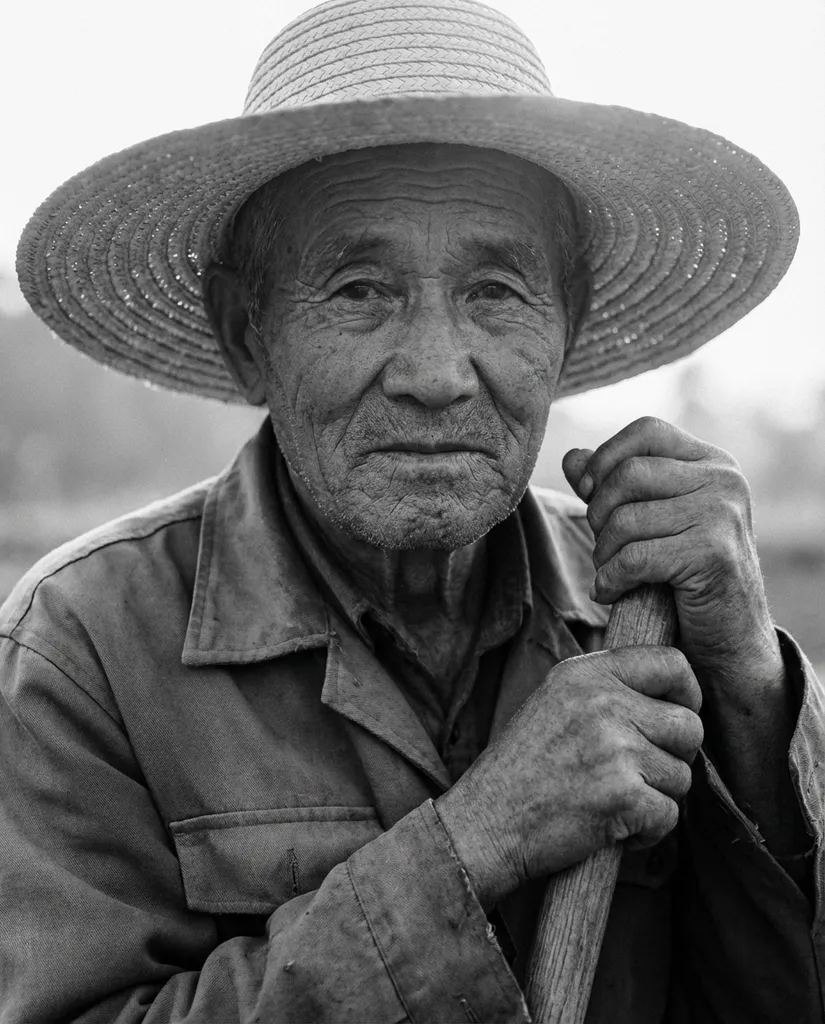
Black and White Grit AI Photo Generator
A close-up black and white portrait of an older farmer with deep laugh lines One selfie in, one share-ready Black and White Grit portrait out — no prompts and no editing skills. It's free to try, private by default, and tuned specifically for the gemini ai farmer photo prompts look.
- Free to use
- No prompts needed
- Works with any selfie
- HD download & share
Generate your Black and White Grit portrait
Create your Black and White Grit portrait in 3 steps
- STEP 1Upload your selfie
Choose a clear, front-facing photo from your camera roll — large files are compressed automatically.
- STEP 2Click generate
The Black and White Grit style is applied for you: lighting, colour and composition included.
- STEP 3Download & share
Grab the HD file or send the share link straight to your feed.
Why Black and White Grit is everywhere
The Black and White Grit look sits in the gemini ai farmer photo prompts family of AI photo styles — a close-up black and white portrait of an older farmer with deep laugh lines. Instead of writing complex prompts in tools like Midjourney or Stable Diffusion, MakeMyTrend bakes the Black and White Grit look into a one-click recipe so anyone can join in.
Under the hood, MakeMyTrend pairs Google's Gemini image models with a per-trend style recipe, so your facial identity is preserved while the Black and White Grit palette, lighting and framing are applied faithfully. Every result is ready for a profile picture, a story, or a shared link.
Black and White Grit AI generator FAQ
How does the Black and White Grit AI generator work?+
You upload one selfie and MakeMyTrend applies the Black and White Grit style automatically — colour palette, lighting, outfit and composition are all baked into the trend recipe. There's nothing to configure and no prompt to write.
Do I need to write a prompt for Black and White Grit?+
No. Unlike Midjourney or Stable Diffusion, the Black and White Grit look is pre-tuned, so generating takes two clicks: choose a photo, hit Generate. The AI keeps your face recognisable while applying the full Gemini AI Farmer Photo Prompts style.
What photo formats does the Black and White Grit generator accept?+
JPEG and PNG selfies work best. Photos are compressed automatically on upload, so even large phone photos process quickly.
Can I use the Black and White Grit generator on my phone?+
Yes — MakeMyTrend runs in the browser on iOS and Android with no app install. Upload straight from your camera roll and download or share the result in one tap.
How many free Black and White Grit images can I make?+
Every account gets free weekly credits to try trends like Black and White Grit, and credit packs unlock more generations plus higher resolutions when you need them.
More in Gemini AI Farmer Photo Prompts


Brand shots, product mockups, banners and album covers.