
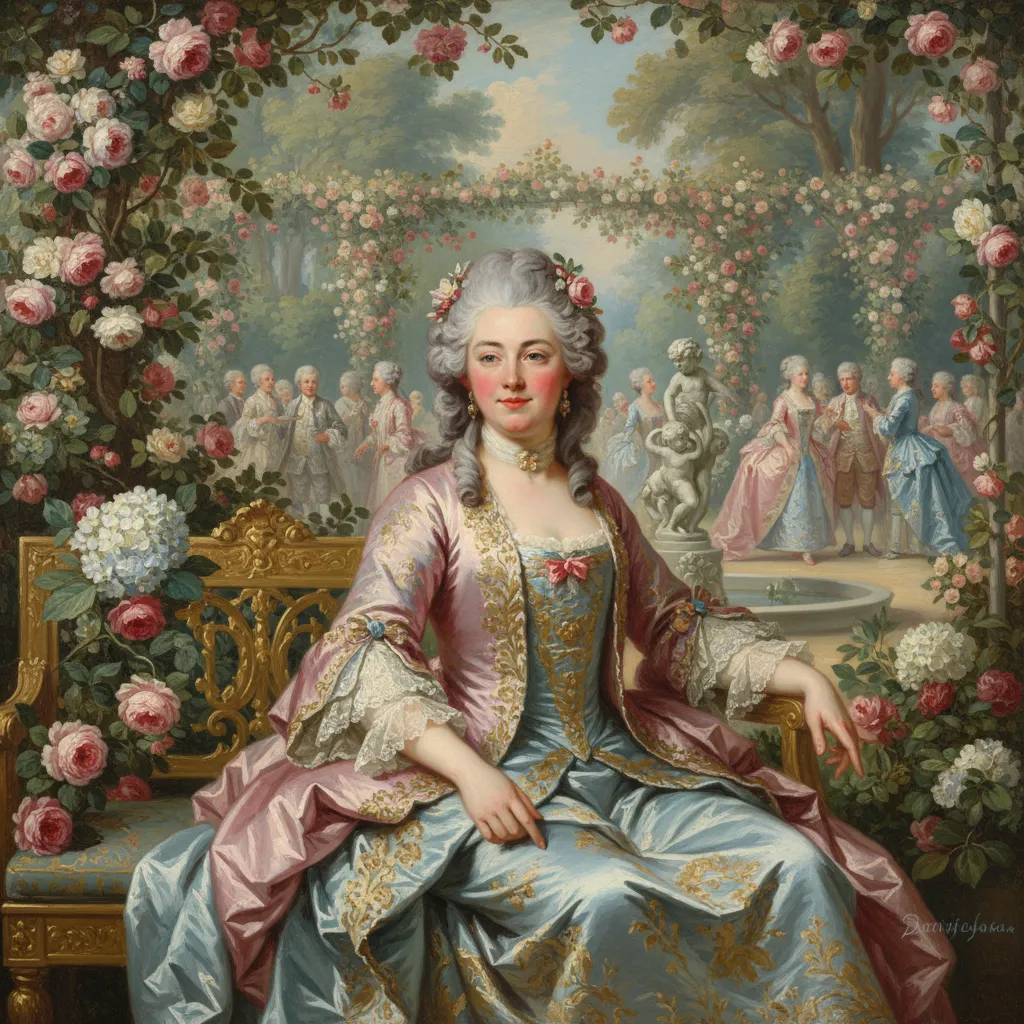
Rococo Pastel Garden Party AI Photo Generator
Indulge in the whimsical luxury of the 18th century. Think Marie Antoinette, soft pastel clouds, and delicate floral oil textures. Pick a photo, tap Generate, and the Rococo Pastel Garden Party style is applied for you in seconds. Free weekly credits, a private photo vault, and results sized for every feed.
- Free to use
- No prompts needed
- Works with any selfie
- HD download & share
Generate your Rococo Pastel Garden Party AI Trend portrait
How the Rococo Pastel Garden Party generator works
- STEP 1Upload your selfie
A well-lit selfie with your face visible works best. JPEG or PNG both work.
- STEP 2Click generate
One tap — no prompt writing. The AI keeps your face recognisable while restyling the scene.
- STEP 3Download & share
Download your portrait or share it with a public link in one tap.
The Rococo Pastel Garden Party AI Trend style, explained
The Rococo Pastel Garden Party look sits in the fine art & painting family of AI photo styles — indulge in the whimsical luxury of the 18th century. Instead of writing complex prompts in tools like Midjourney or Stable Diffusion, MakeMyTrend bakes the Rococo Pastel Garden Party look into a one-click recipe so anyone can join in.
Each trend on MakeMyTrend carries its own tuned pipeline built on Google's Gemini image models — the Rococo Pastel Garden Party recipe controls colour, light and composition while keeping you recognisably you. Results download in HD and share with a single link.
Rococo Pastel Garden Party AI Trend AI generator FAQ
What resolution are Rococo Pastel Garden Party AI Trend results?+
Standard generations render at 512px, and you can step up to 1K, 2K or 4K for print-quality Rococo Pastel Garden Party portraits. Higher tiers cost a little more but stay one click away.
Can I make a Rococo Pastel Garden Party image for Instagram or TikTok?+
Yes — pick square, portrait 3:4, 4:5, story 9:16 or wide 16:9 before generating, so your Rococo Pastel Garden Party portrait fits feeds, stories, or thumbnails without cropping.
Can I tweak my Rococo Pastel Garden Party result after generating?+
Yes. Open any result and type a short edit instruction — change the background, outfit or mood — and the AI applies just that change while keeping your face and the Rococo Pastel Garden Party style intact.
Can I put two people in one Rococo Pastel Garden Party AI Trend image?+
You can select up to three photos of different people, and the AI places everyone in a single Rococo Pastel Garden Party scene while keeping each face distinct.
Is the Rococo Pastel Garden Party AI Trend AI generator really free?+
Yes — free weekly credits let you try the Rococo Pastel Garden Party trend at no cost, no credit card required. Paid packs exist only if you want more generations or higher resolutions.
More in Fine Art & Painting


Anime, watercolour, line art, 3D, stickers and painting styles.